My Website Finder

In which domain you want to find?

My Website Finder

Please select a website

My Website Finder

Please select a website

My Website Finder

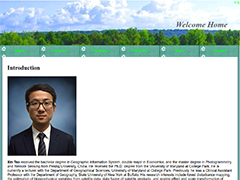
Xin's Homepage

Introduction of Xin Tao, an alumnus from Peking University and University of Maryland, including his publications in journals, books, and conference proceedings.

Featured publications:

  • Remote Sensing of Environment
  • Science in China
  • IEEE Transcations in Geosciece and Remote Sensing

My Website Finder

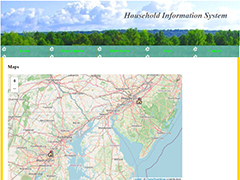
Household information system

Household information system collects household information with a web form and show the results in a table and a map.

Features:

  • Web form for household information
  • A map of reported households
  • Household size upon click

My Website Finder

Web programming

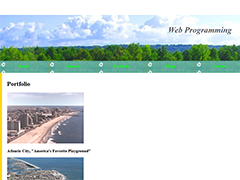
Web programming assignment includes homepage design.

Featured pages:

  • Favorite movies, albums, and quote
  • Portfolio items include Atlantic City photos
  • School district boundaries and Baltimore redlining

Map near You

Map near You

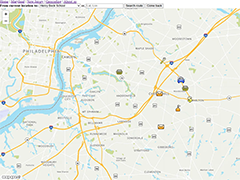
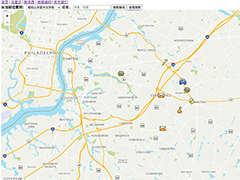
Show the route from current location to a list of destinations in Maryland and New Jersey, with option to input destination latitude and longitude.

Instructions:

  • Click "Search route" to see the route to your destination.
  • Select Others in the dropdown box when you input destination latitude and longitude.
  • Get the address, latitude and longitude for a point via reverse geocoding.
  • Click "Find" to go to specified latitude and longitude.

My Website Finder

Server Tutorials

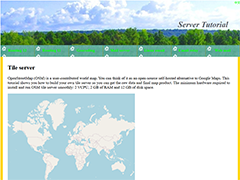
Streamlined tutorials to build tile server, routing server, geocoding server, and email server.

Features:

  • Global map tiles from zoom level 0 to 19
  • Routing from one place to another
  • Geocoding and reverse geocoding
  • Email server to the outside world

您附近的地图

您附近的地图

显示从当前位置到马里兰或新泽西目的地的路线,并可选择输入目的地的经纬度。

指示:

  • 点击“搜索路线”以查看前往目的地的路线。
  • 输入目的地经纬度时,请在下拉框中选择“其他请输入经纬度”。
  • 通过反向地理编码获取某一点的地址和经纬度。
  • 点击“寻找”以跳转至指定的经纬度。

Tile Servers

Tile Servers

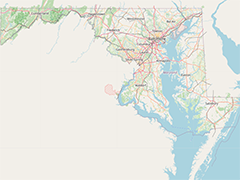
An interactive map for Maryland in United States, with the initial state zoom level (level 8).

Instructions:

  • Click "+" to Zoom in.
  • Click "-" to Zoom out.
  • Switch between different layers: My OSM, OpenStreetMap, Satellite, and Hybrid